Kageos Workspace

The directory is the app

Install a working directory from Hub, then run tables, forms, charts, notifications, and AI operations inside one workspace. Humans use it directly. AI acts with permission. Every result leaves a trail.

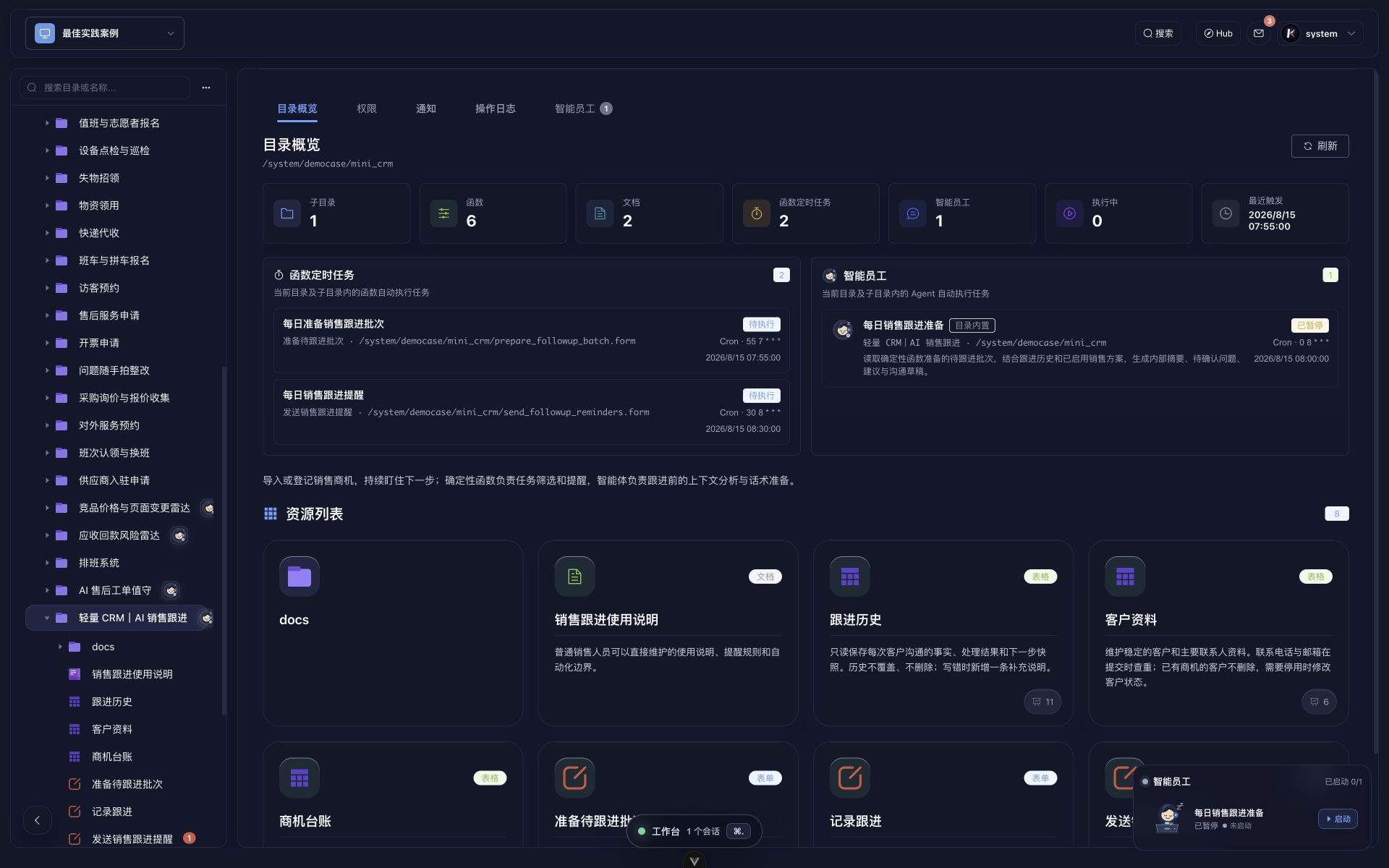
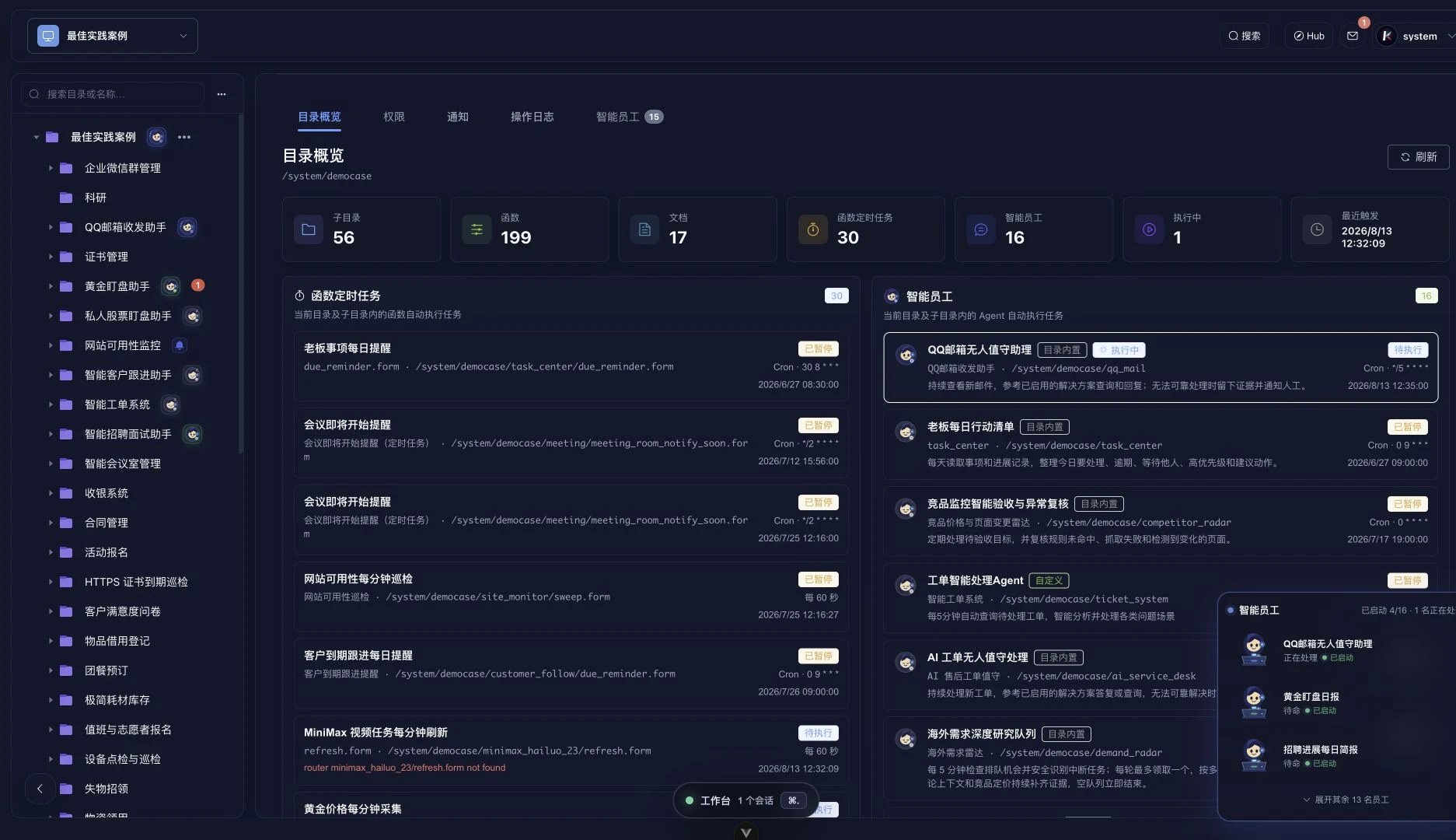
Kageos workspace overview showing business directories, functions, scheduled tasks, Agent tasks, and resources.
Directory entry
Apps, tasks, and resources live inside one directory
The left rail is the business directory. The center shows its callable functions, Agent tasks, and resource state.
7 Agent schedules · 83 callable functions
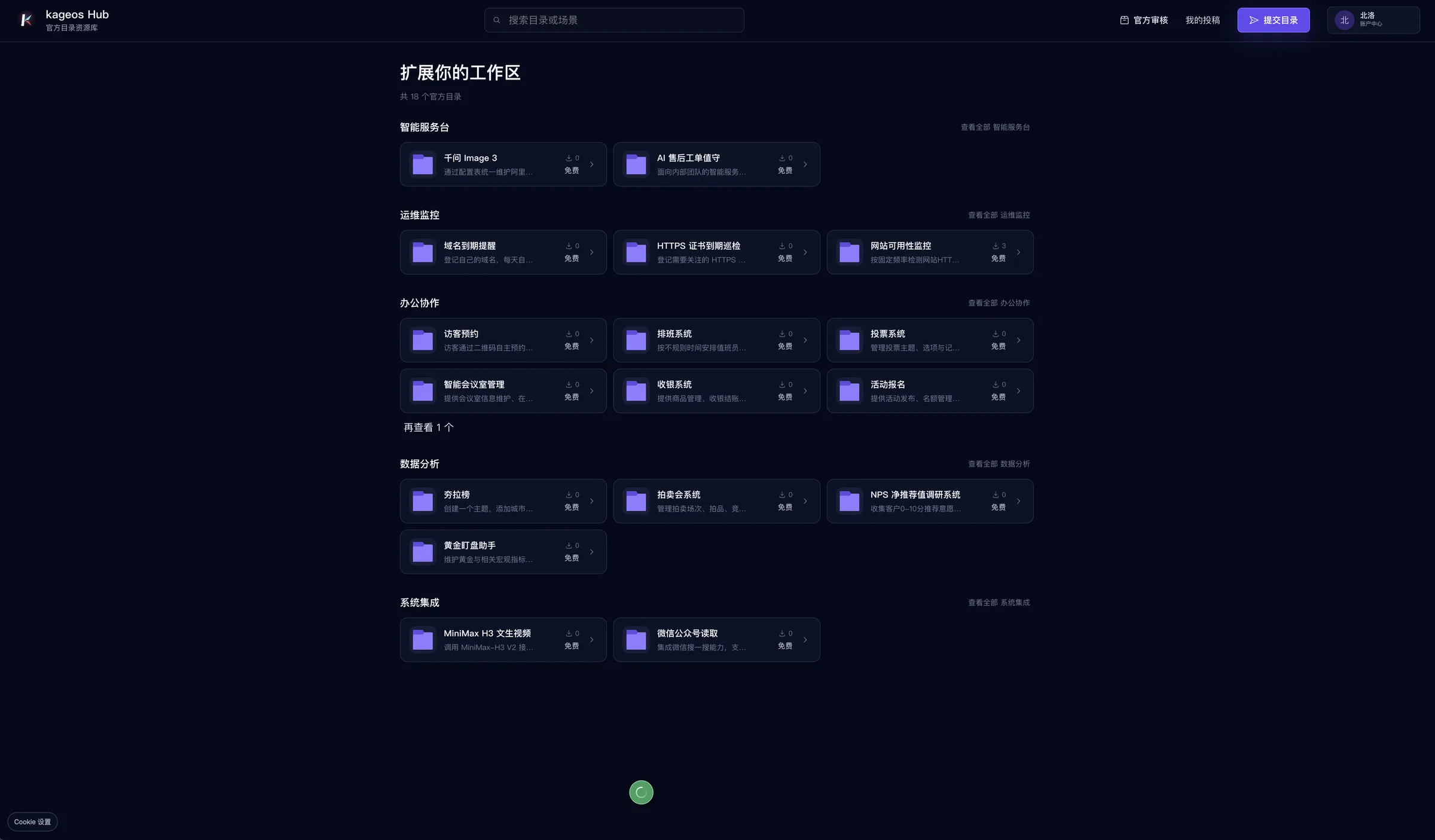
Kageos Hub marketplace showing installable business directories.
Runnable directories
Install working business directories from Hub
Hub publishes directories that can be installed, reused, and returned to the ecosystem.
Directory marketplace · install · publish back
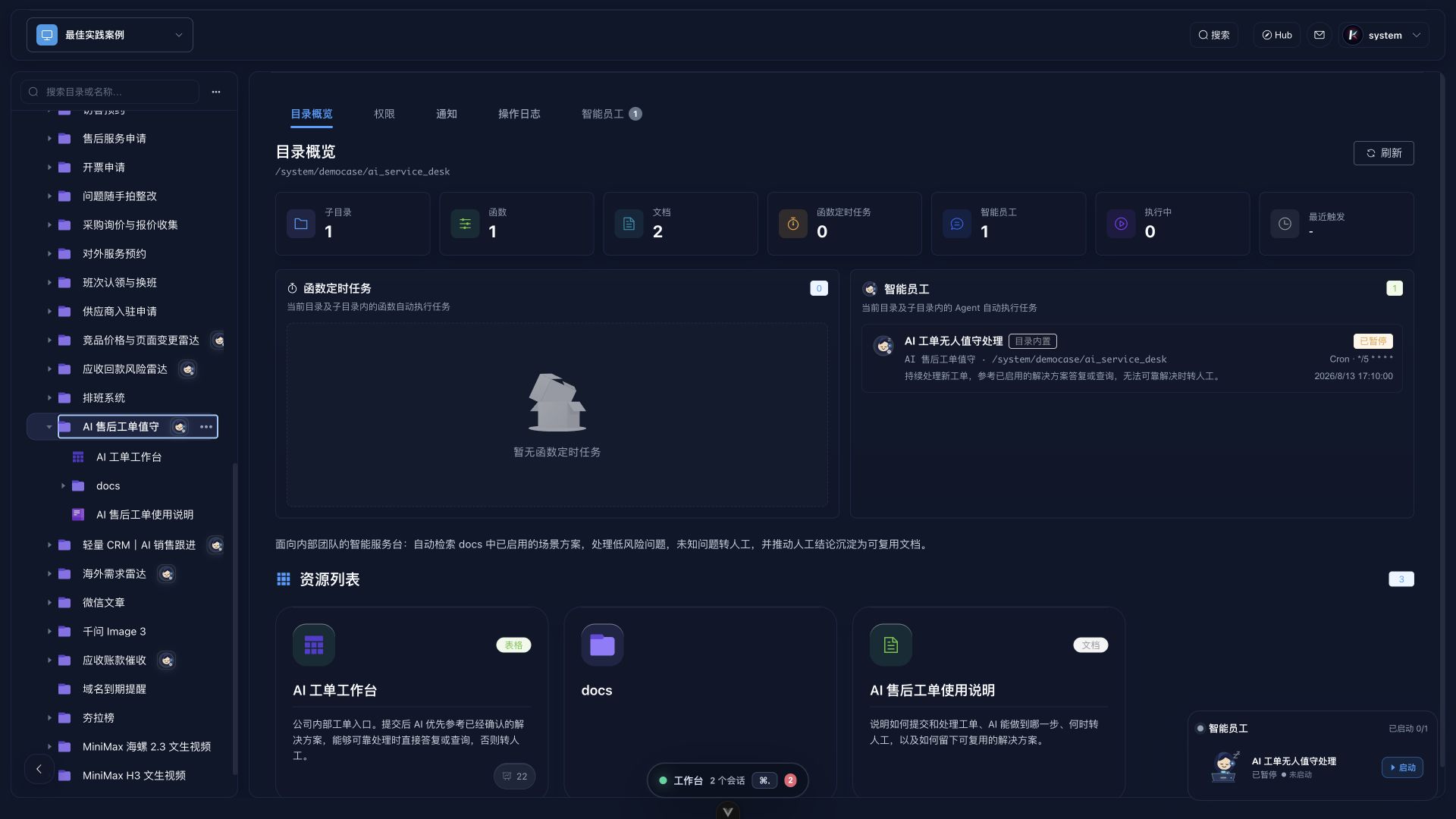
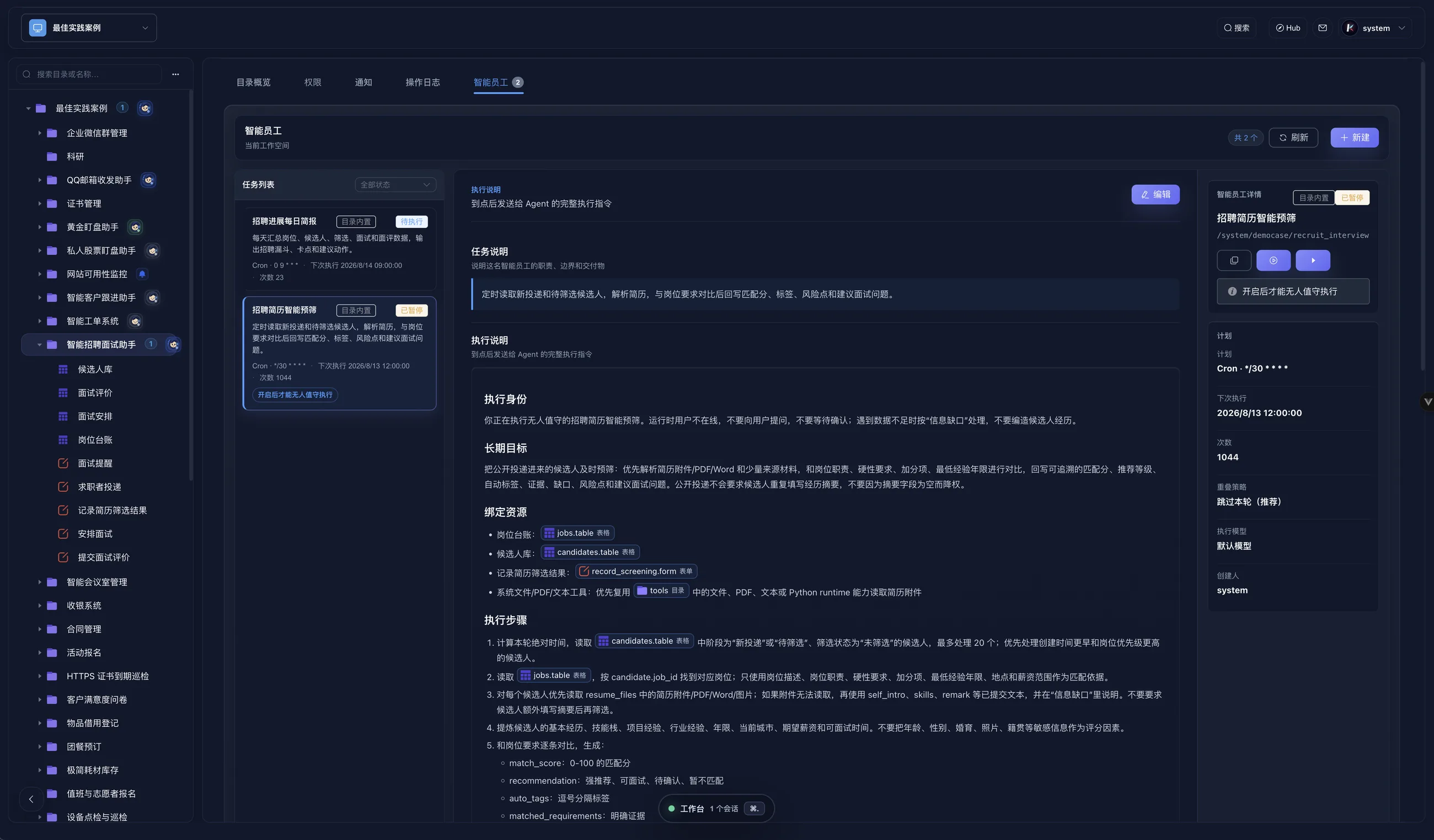
Kageos Agent scheduled task screen showing instructions and bound resources.
Governed execution
AI reads resources and runs on schedule
Agent jobs combine a trigger, bound resources, and instructions so AI acts inside the directory boundary.
Schedules · bound resources · autonomous execution
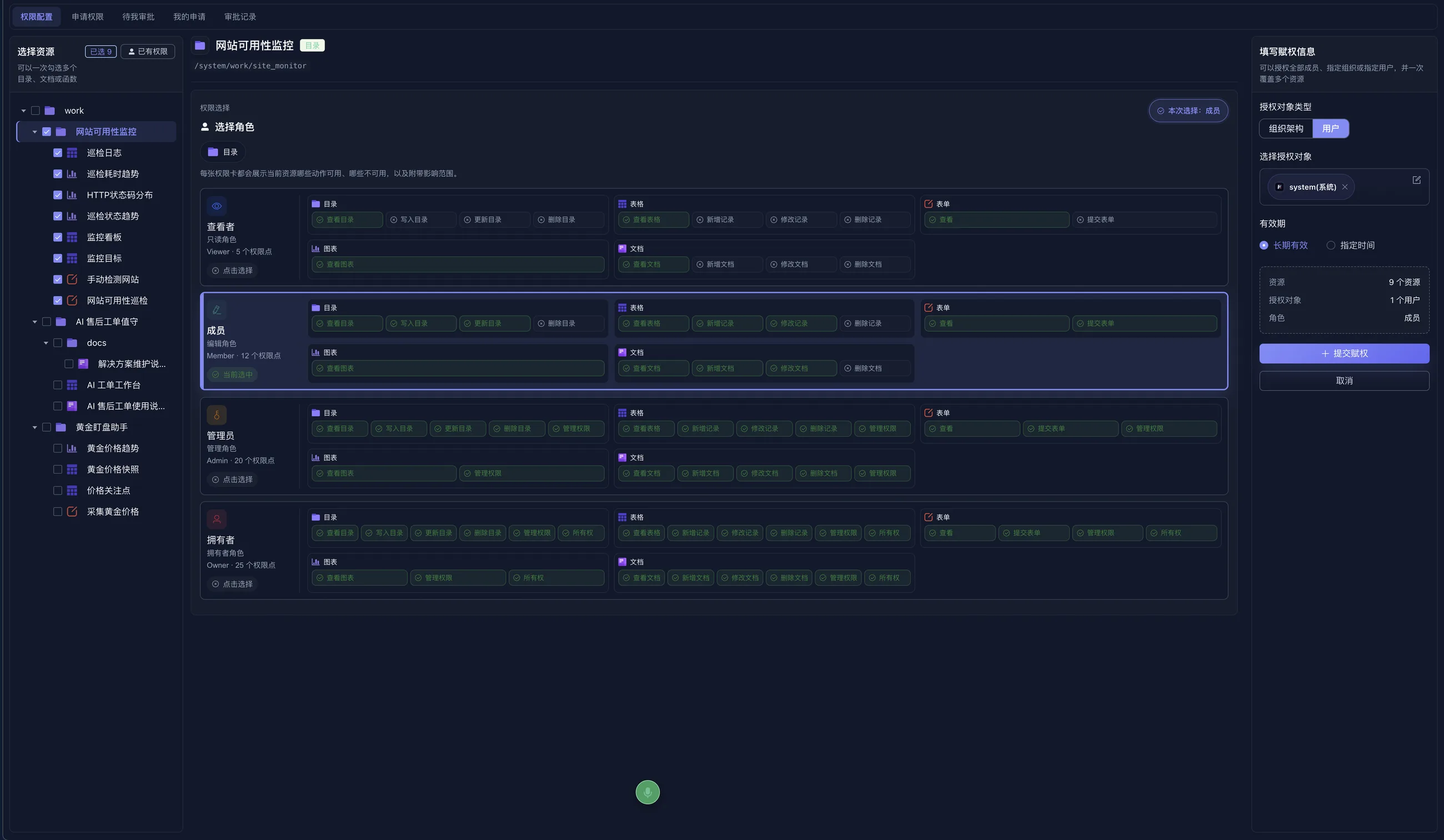
Kageos permission screen showing resource authorization and roles.
Permission scope
Capabilities stay governed by directory permissions
Access is organized around directories, roles, and resource scopes instead of scattered admin settings.
Roles · resource scopes · controlled handoff
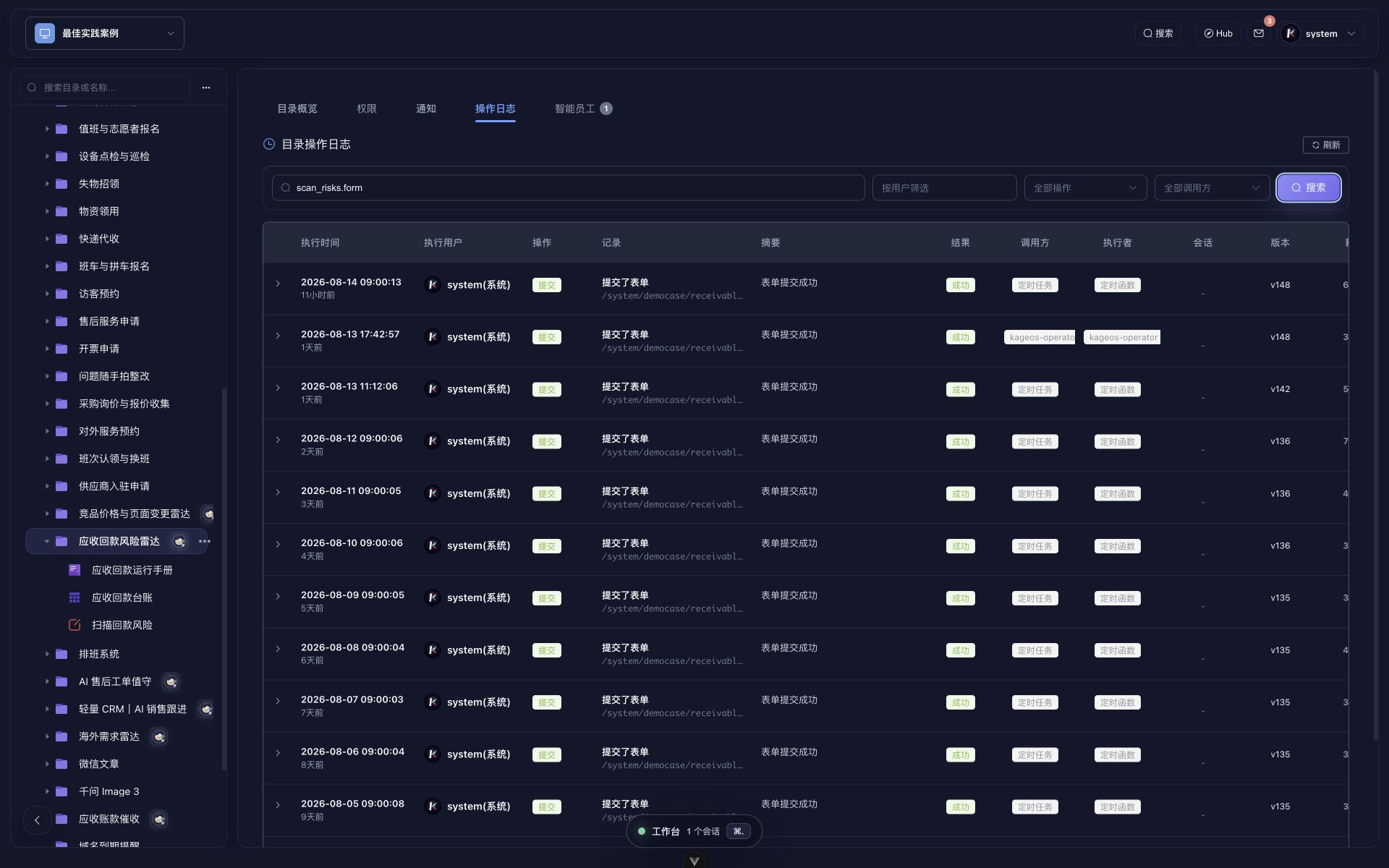
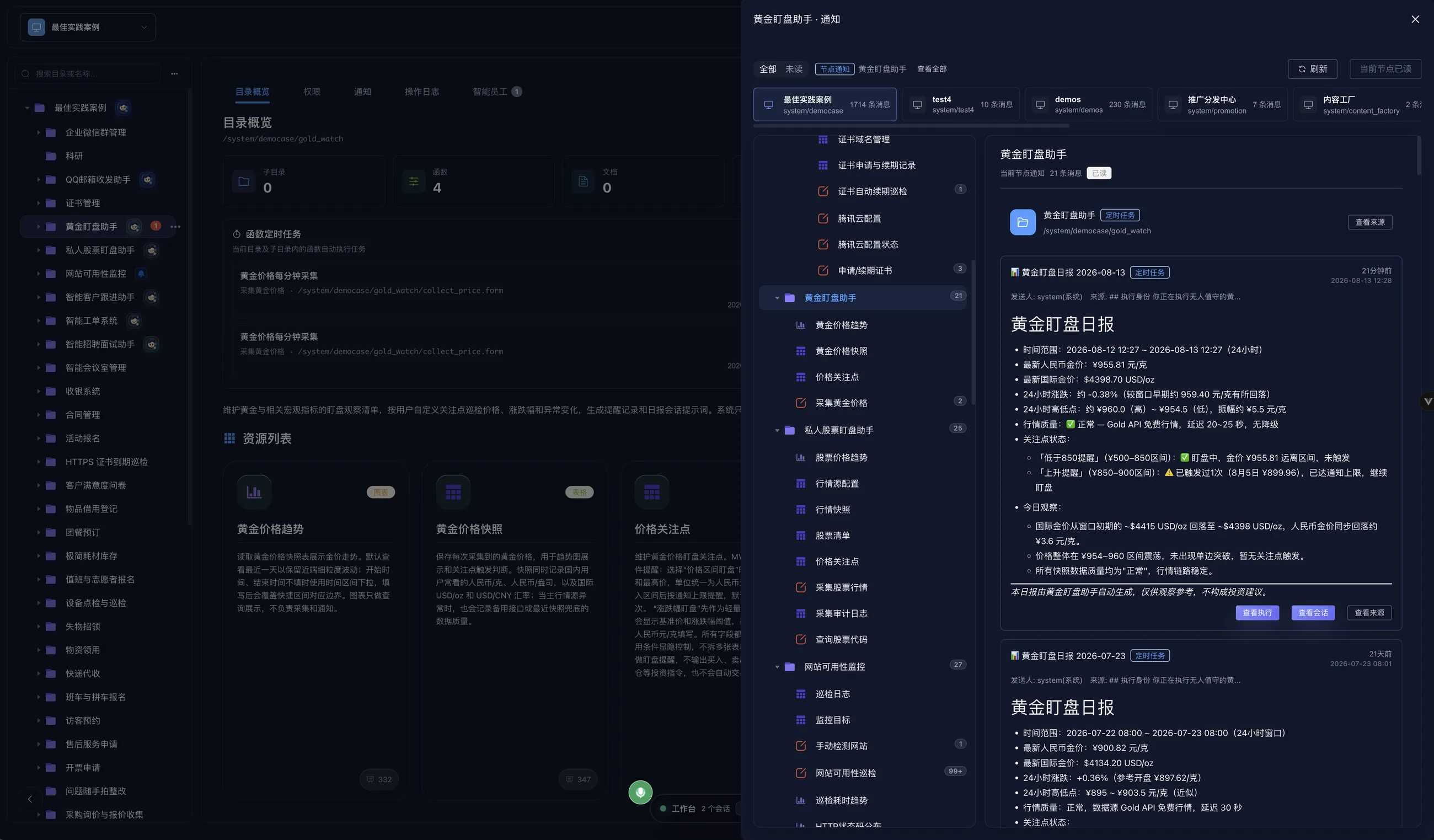
Kageos notification screen showing scheduled-task results.
Traceable output
Outputs land in notifications and operation logs
Notifications and logs keep automated work visible, reviewable, and tied back to its source.
Inbox · execution detail · source trace
9
Microservices
486
Scheduled Runs
0
Failures
40+
AI Tools

Product journey

One directory becomes the whole workspace.

Kageos is easier to understand as a path: choose a runnable directory, install it into your own workspace, authorize AI to act, and keep every result traceable.

01
Hub

Start from a directory that already runs

Install a business directory from Hub instead of starting with a blank app canvas. Each directory carries its pages, functions, resources, and operating assumptions.

Installable directory · source-available · publish back
02
Workspace

The directory opens into an operating surface

People see the same directory as navigation. AI sees callable functions and bound resources. The business object stays in one place.

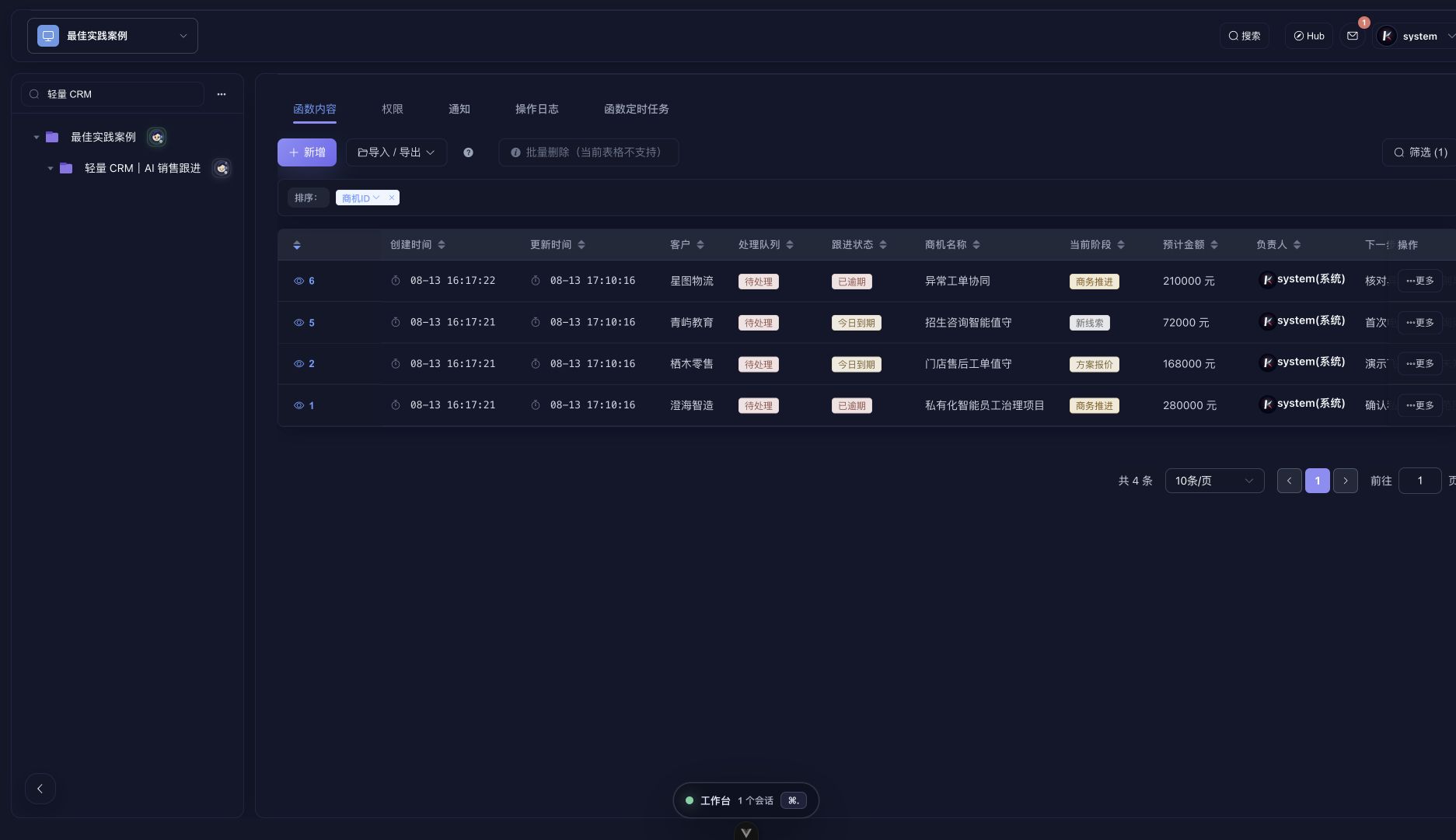
Tables · forms · charts · resources · tasks
03
Agent

AI works from permissions, not from memory

Agent jobs bind schedules, instructions, and the exact resources they can read or write. It is automation inside a directory boundary.

Schedules · instructions · bound resources
04
Permission

Authorization stays visible

Teams can inspect who can access a directory, which resource is exposed, and what AI is allowed to operate.

Roles · resource scope · human review
05
Trace

Results return as messages and records

When a task runs, the output lands back in the workspace: message, record, log, and context together.

Notifications · logs · execution history

What can a directory do?

Show the work, not the abstraction.

Each directory is a packaged workflow. The user opens it as software; AI operates it as a governed capability.

Scheduled Agent task for recruiting resume pre-screening.
Scheduled screening with traceable output

Resume pre-screening Agent

Read new applications on a schedule, compare resumes with the job, and write back scores, tags, risks, and interview questions.

Workspace overview showing directories, resources, function tasks, and Agent tasks.
Directories and scheduled work in one place

Workspace task overview

Put website monitoring, market data, recruiting, and customer follow-up directories in one workspace, then run function and Agent tasks from there.

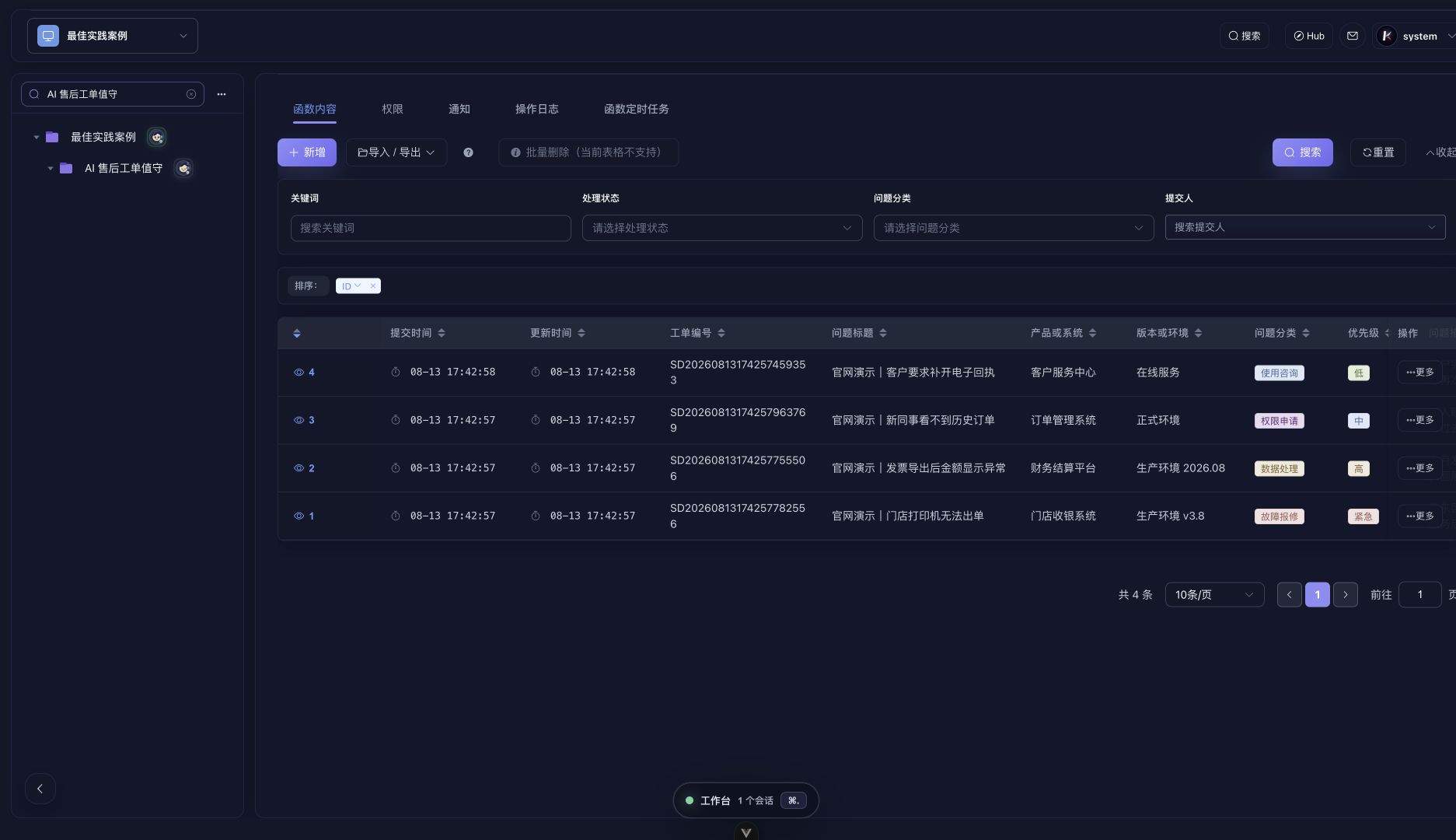
Ticket ledger permission panel showing user authorization and resource scope.
Access is assigned where work happens

Ticket ledger permissions

Grant a user access to a ticket ledger from the directory itself. Roles, resources, and allowed operations stay visible.

Website uptime monitoring notification panel with recovery messages and execution results.
Incidents and recoveries stay reviewable

Website uptime notifications

When a monitor finds an outage or recovery, the workspace keeps the URL, status code, response time, source, and execution record.

Not another AI app generator.

AI app generators create isolated apps. Kageos turns capabilities into installable, governable, AI-operable directories.

AI App Generators Kageos
Generate one-off apps
Apps as governable assets
Apps call each other
AI operates apps in production
Built-in scheduling & inbox
Self-hostable some
Source-available

Your apps, your data,
your runtime.

Run Kageos locally with Podman Desktop, or deploy on a Linux production server with one command.

MySQL, NATS, MinIO bundled — no external services needed
User apps run in isolated Podman containers
Podman-first local install and Linux production bootstrapper
Upgrade with kageos update
Read the full Self-Host Guide
install-prod.sh
# Linux production one command
$ curl -fsSL https://kageos.ai/install-prod.sh | \
sudo bash -s -- \
--base-url https://app.example.com
Container engine ready
kageos image pulled
system password generated
kageos is live at https://app.example.com

Ready to install your first business directory?

Browse Hub for ready-to-run directories, install one into your private workspace, customize it, and publish stable capabilities back.

Kageos is maintained by Beijing QiaYan Intelligent Technology Co., Ltd. (QiaYan AI). Follow the QiaYan AI WeChat official account for product updates and deployment notes.